
Workforce planning for shift-based teams
Run every shift
with clarity.
NextRota brings rota planning, leave and sickness, time and attendance, and workforce insight into one clear workspace. Managers plan with confidence. Teams always know what's next.
14-day free trial. No credit card required.
The product
See how the week comes together.
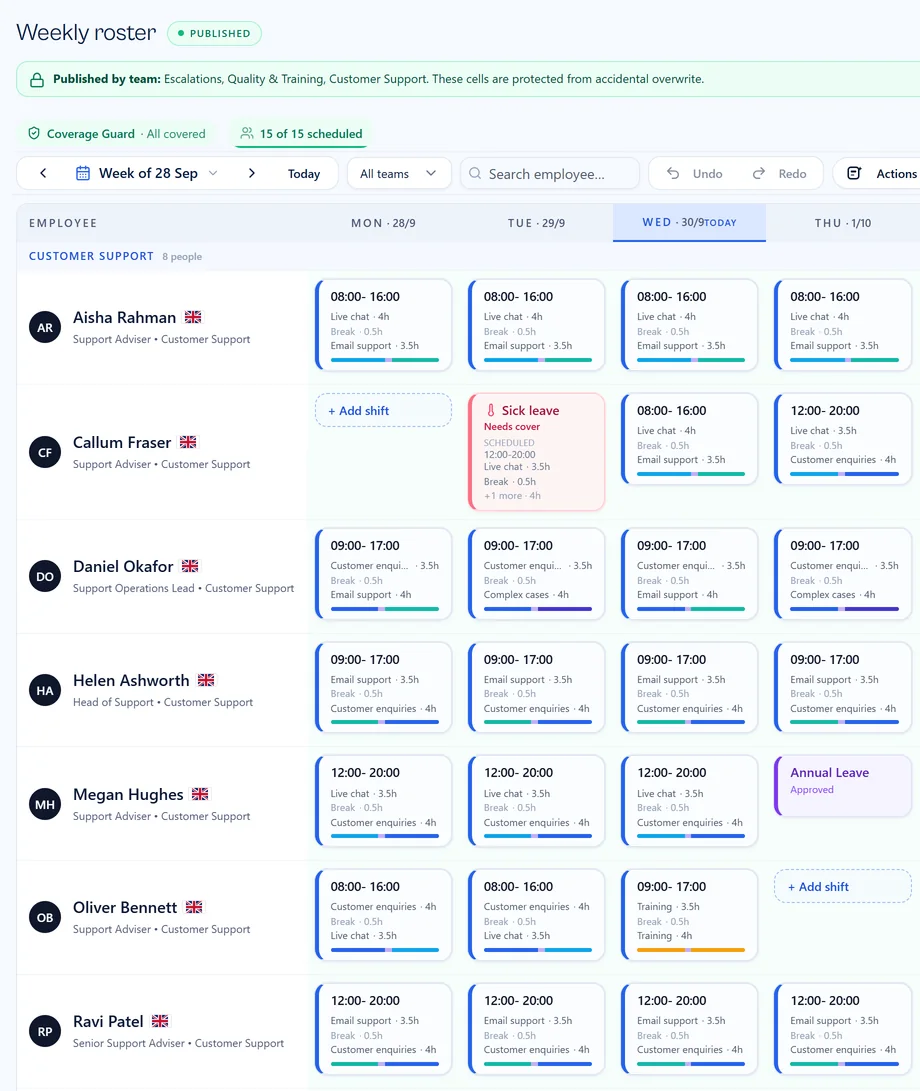
Six parts of NextRota, one connected week. Choose one to look closer.
Build the week without starting from scratch.
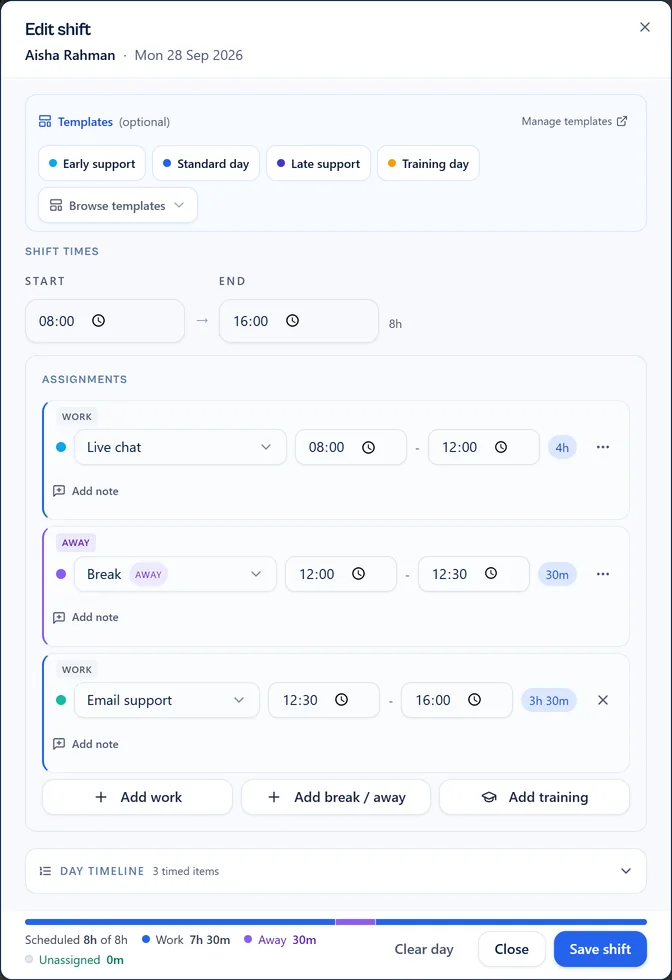
- Copy last week, use a shift template, or apply the same shift to several people and days.
- Split any shift into work, breaks and training.
- Publish to the whole company or one team at a time. Your team is told by email.
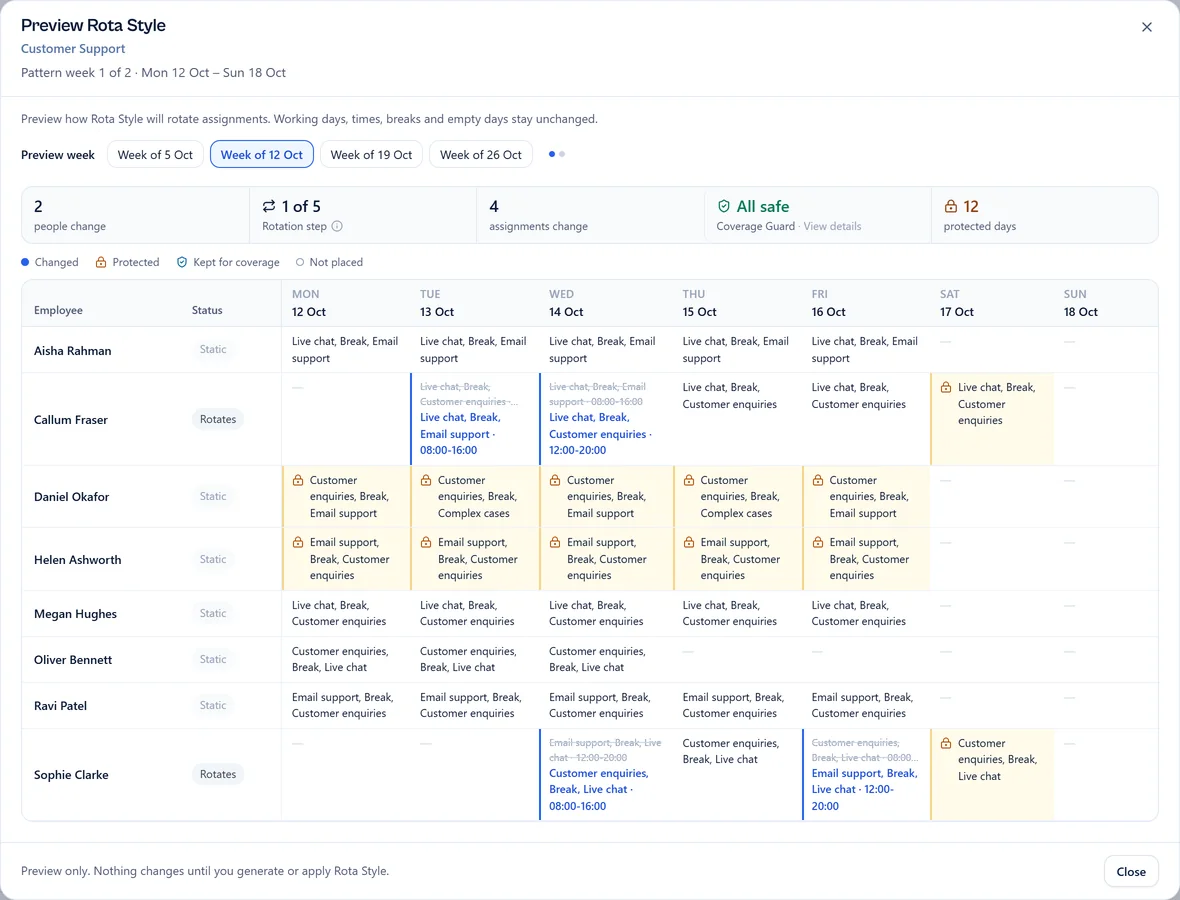
Turn your usual week into a reusable plan.
- Rota Style holds the shifts your team usually works, over 1 to 12 weeks.
- Use one shared pattern for the company, or give a team its own.
- Apply it to any week as a draft you can check and change.
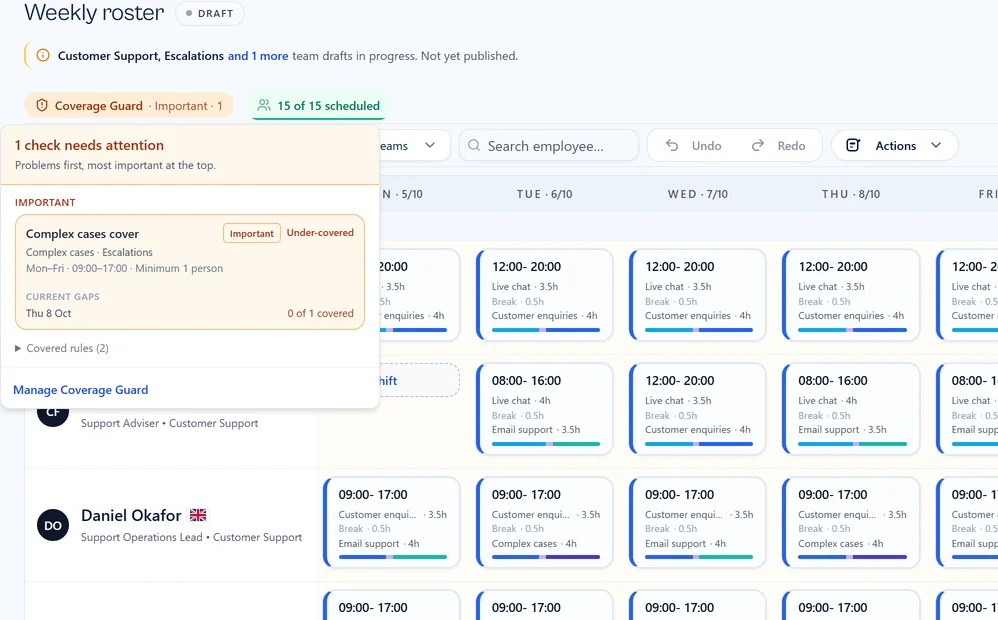
See where cover is short.
- Coverage Guard checks the rota against the minimum staffing you set.
- Gaps show on the roster, most important first.
- Approved leave and sickness show on the same roster.
Leave, sickness and access in the same place as the rota.
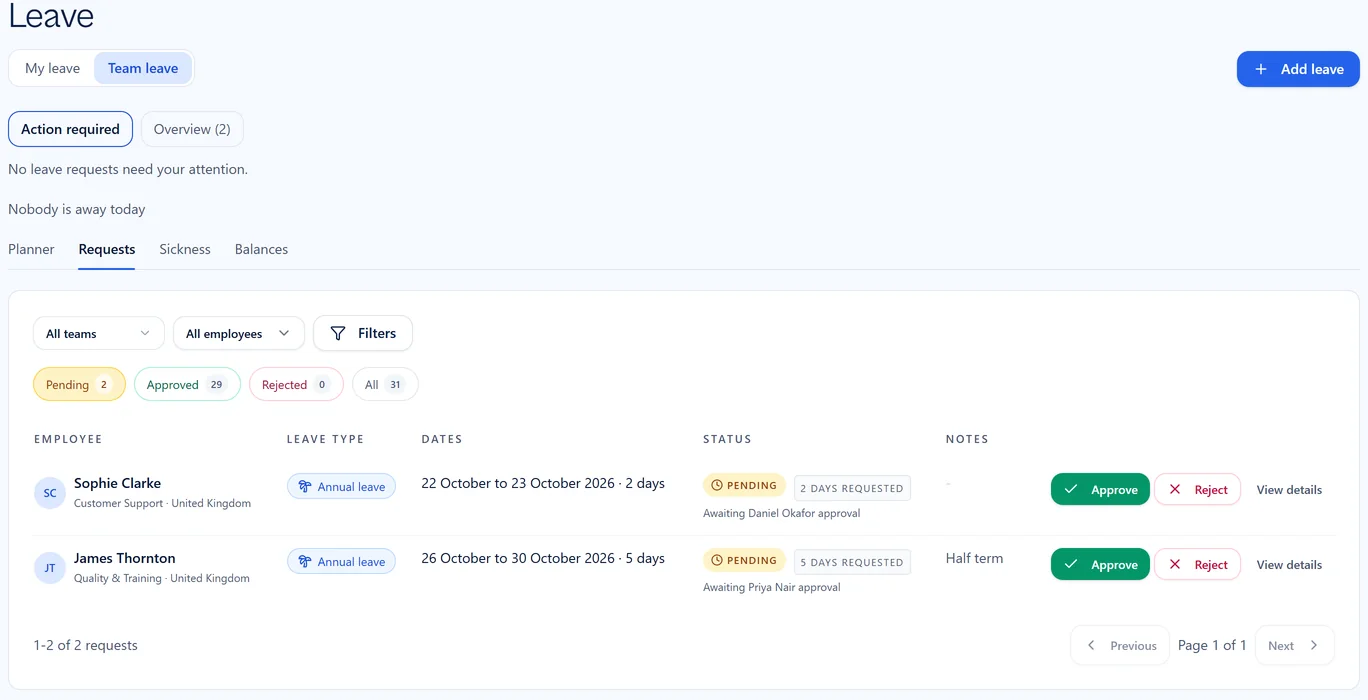
- Leave requests go to the right manager. Balances update when leave is approved.
- Sickness is recorded straight away, and the return is recorded when it happens.
- Choose who manages each team and who can only view it.
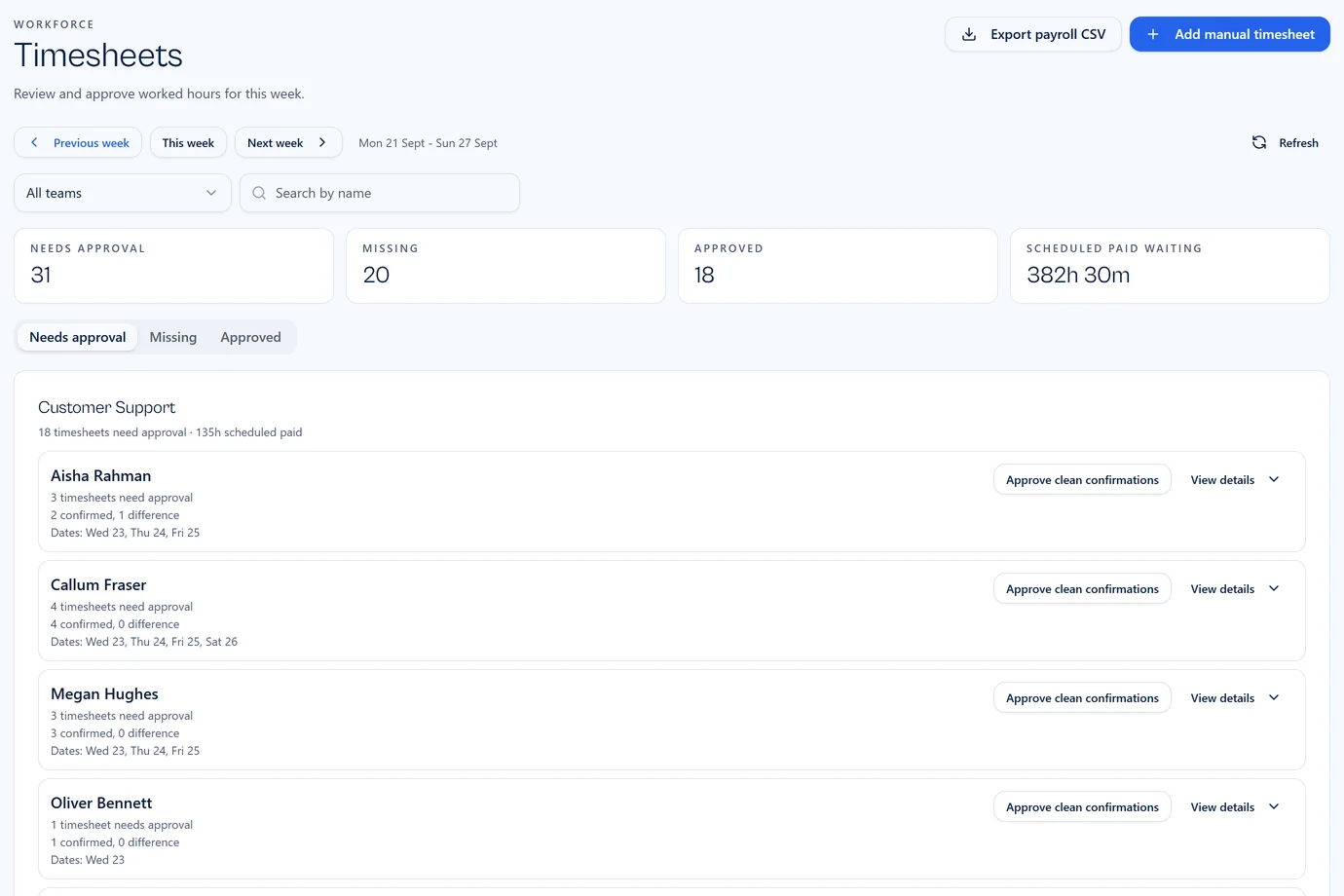
Turn published shifts into approved hours.
- Published shifts become timesheets.
- Your team confirms the hours they worked, or reports a difference.
- Managers review and approve. Approved hours export as a payroll CSV.
See what the week is telling you.
- Utilisation shows how scheduled and contracted time was spent.
- Wellbeing highlights workload, rest and fair scheduling to review.
- Performance Focus compares results with the work you assigned.
How it fits together
Built for the real working week.
When the rota, leave and worked hours live in separate places, the week gets harder to manage. NextRota keeps each step connected to the one before it.
Plan
Build the week by hand or start from your Rota Style.
Check
See cover, leave and bank holidays on the same roster.
Publish
Share the week when it's ready. Your team sees it once it's published.
Handle change
Edit a shift, approve a swap or record sickness. The rota stays current.
Approve actual time
Confirmed hours come to you for review and approval.
Understand
See utilisation, workload and fairness for the week you ran.
Rota Style
Plan once. Reuse the rhythm that works.
Rota Style lets you set up the shifts your team usually works, over 1 to 12 weeks, and use that plan to prepare future rosters.
Shared or team patterns
One pattern for the whole company, or a separate one where a team works differently.
Pattern Engine
Switch it on and complete pattern days rotate across the cycle weeks, so the same people don't always get the same days.
Protected days
Keep a day fixed when the rest of the pattern moves.
You stay in control
Applying a pattern fills a draft. You check it, change it and publish when you're ready. Applying never publishes on its own.
Rota Style is included on Growth and Command.
Coverage, leave and sickness
See the gaps before they become problems.
Cover depends on people. NextRota shows both together, so you can see how leave and sickness affect the week.
Coverage Guard
Set the minimum staffing you need, by work type, team and time of day. NextRota highlights where the rota falls short.
Leave
Your team asks for leave, the right manager decides and the balance updates. Approved leave appears on the roster, by name.
Sickness
Record sickness when it happens and the return when they're back. The roster shows who is off.
Working patterns
Record each person's normal days and hours. NextRota uses them for leave and reporting.
Coverage Guard highlights gaps. It does not stop you publishing. Included on Growth and Command.
Time and Attendance
From scheduled hours to approved hours.
The rota says what should happen. Timesheets record what did. NextRota starts from the shifts you published, so nobody types the week in twice.
- Published shifts become timesheets.
- Your team confirms their hours, or reports a difference.
- You review, correct if needed and approve.
- Export approved hours as a payroll CSV.
Time and Attendance is optional. Turn it on when you need it. NextRota prepares approved hours for payroll. It does not run payroll.
Insights
Understand the week, not just the rota.
NextRota turns the rota you ran into information you can act on.
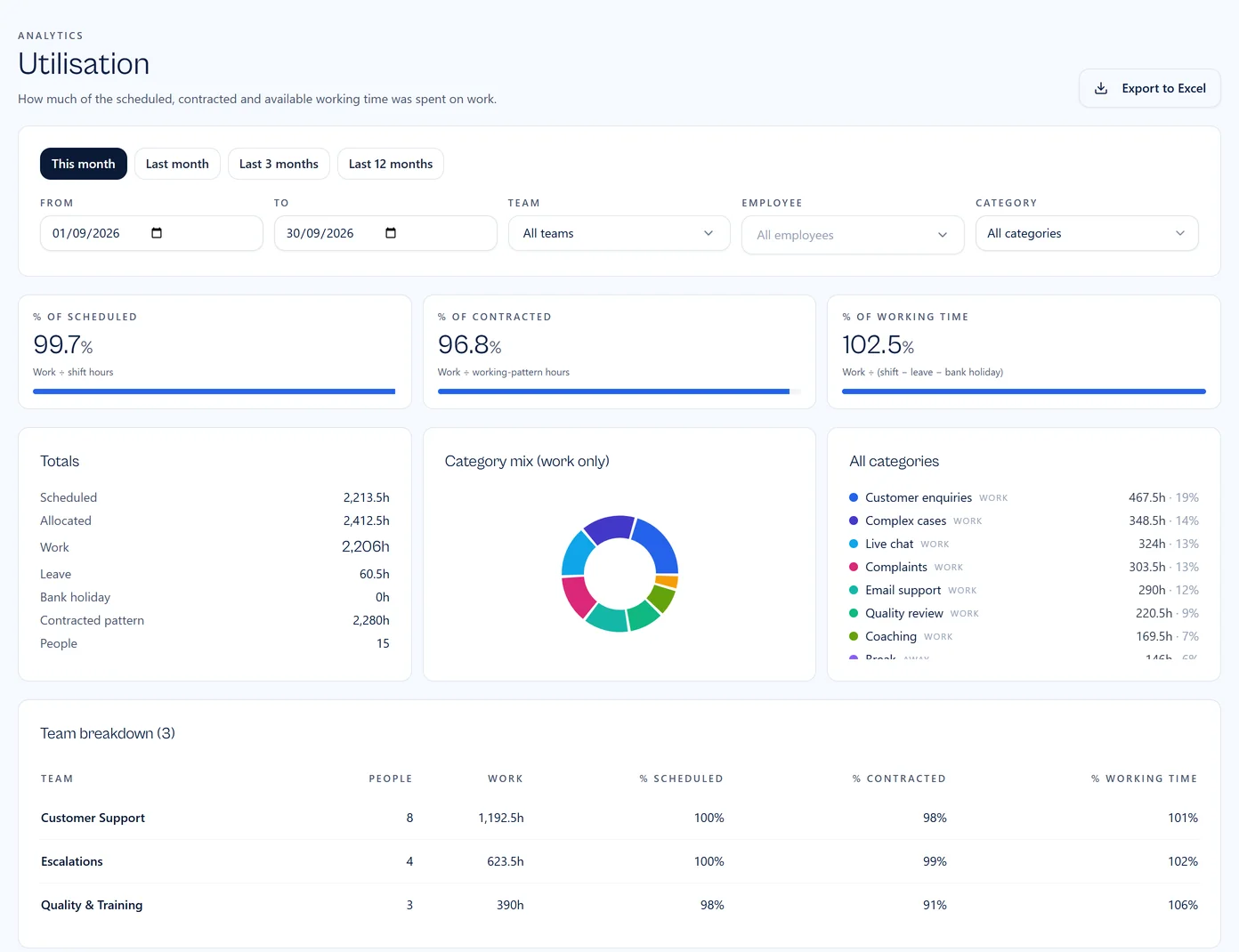
Utilisation
How much scheduled, contracted and available time was spent on work, by team and person.
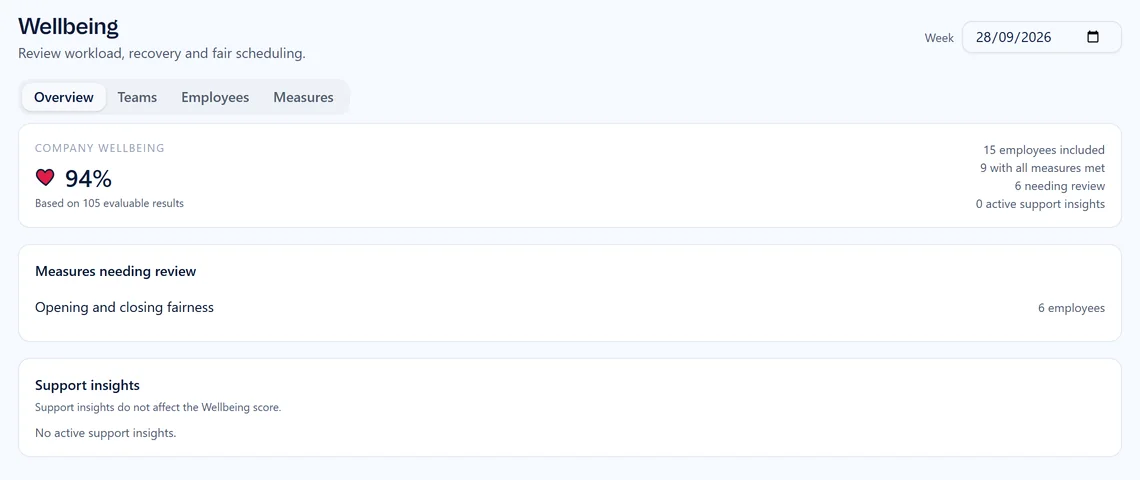
Wellbeing
Scheduling signals to review, such as long shifts, short rest between shifts and how fairly work is shared.
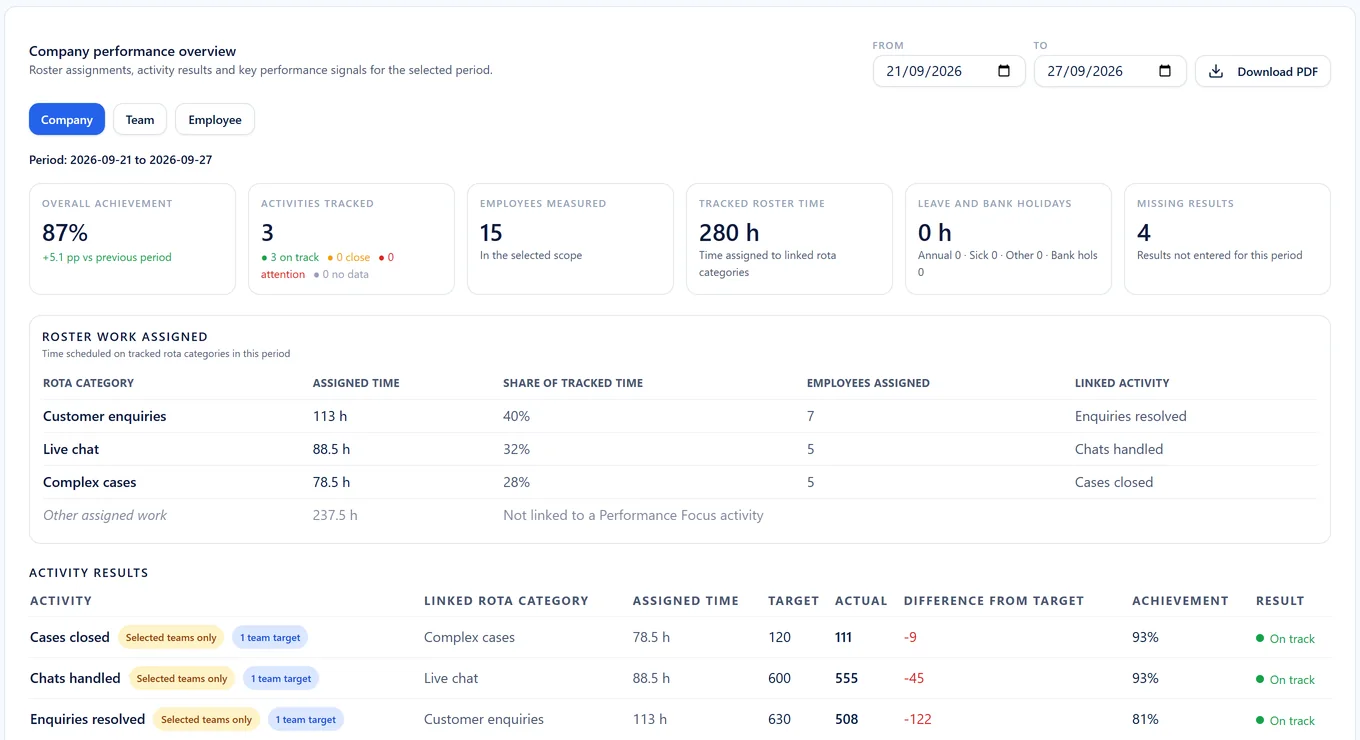
Performance Focus
Compare results with the work you assigned, adjusted fairly for leave.
Wellbeing highlights scheduling patterns. It is not a health assessment or a statement of legal compliance. Performance Focus is included on Growth and Command.
Managers get control. Teams get clarity.
Managers
- Plan and publish the rota
- Approve leave and swaps
- Review and approve hours
- See cover, workload and utilisation
Employees
- See My roster and the Team roster
- Request leave and report sickness
- Ask to swap a shift
- Confirm hours, where Time and Attendance is on
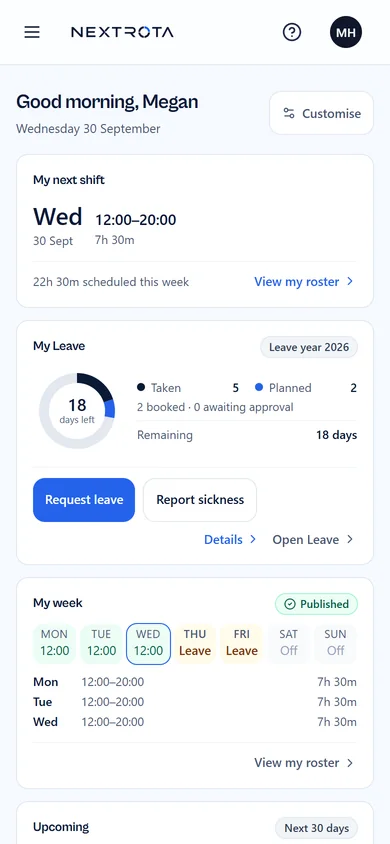
Works in the browser on a phone, tablet or computer.
See the employee experienceGetting started
Start simple. Get useful quickly.
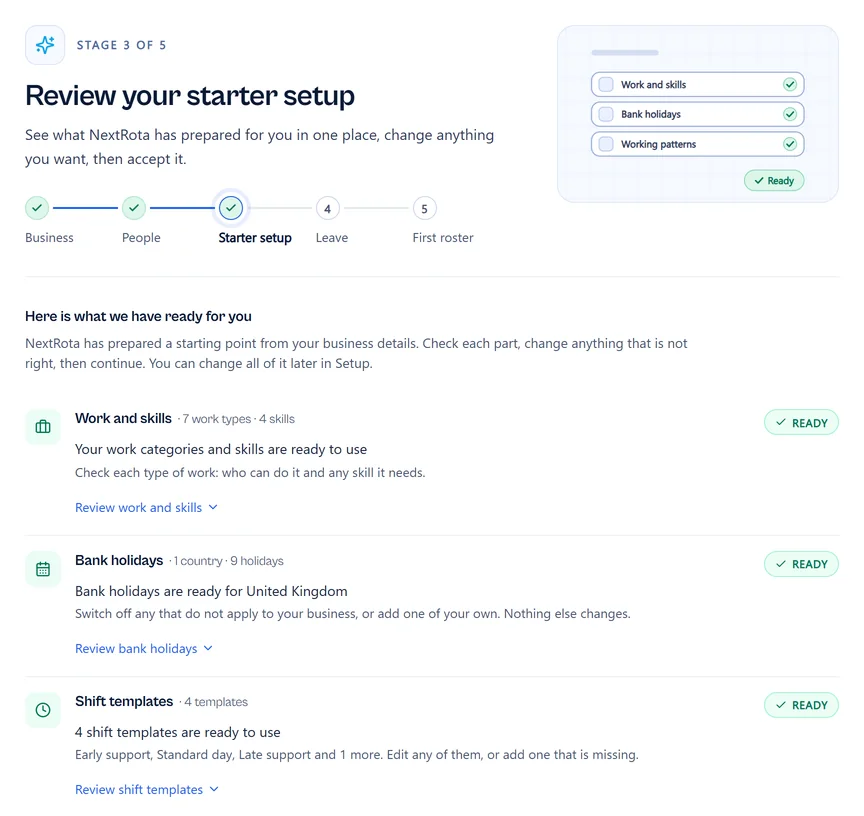
Setup takes you from an empty workspace to your first roster in five steps.
- Business
- People
- Starter setup
- Leave
- First roster
Guidance when you need it
A short Roster tour shows you round. Help is one click away on every page, and it knows which page you're on.
A plan for every size of team
Starter
The core rota, leave and reports for small teams.
Growth
Adds Rota Style, Coverage Guard and Performance Focus.
Command
Adds Automation for teams that run on repeatable patterns.
Enterprise
For larger organisations. Talk to us.
Your 14-day trial includes NextRota's Command features. No credit card required.
Compare plansA clearer working week starts here.
Set up your workspace and build your first rota today.